We need your help to keep this website free. You can


Edits is getting another round of controls for short videos. Meta’s November 12 announcement includes speed curves, automatic audio balancing and adjustable text-animation duration. There is also a change to Inspiration: users can tell the app which topics they would like to see more or less often in that feed.

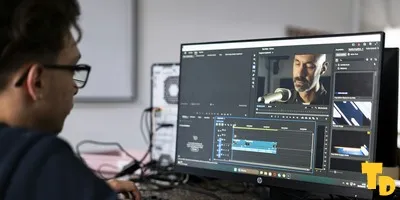
Source: Detail .co / Unsplash, Unsplash License. Cropped December 2025 archive photograph of editing a podcast in Detail’s studio, using Detail software on a phone and tablet. It illustrates mobile editing work and does not show Edits or this update.
The update was reported by Social Media Today, which cited Meta’s Creators account. It describes both ready-made speed curves and a custom option. The audio adjustment works across video elements, and the text controls cover how long an animation takes to enter, leave or repeat.
A changing pace inside one clip
A curve is useful when the action needs more than one playback speed. A creator might move quickly through an approach and slow down for the important movement, while keeping both in the same shot. Picking a preset supplies a starting shape; making a custom curve gives the creator another way to decide where the change falls.
Desktop editors have long separated several ways of doing this. Adobe’s Premiere guide distinguishes playback speed from a clip’s total duration and lists Speed/Duration, Rate Stretch and Time Remapping as separate controls. A chosen final length and a changing pace within that length are related editing decisions, but they answer different questions.
For a varying pace, Adobe’s Time Remapping instructions use keyframes to divide a clip into speed segments. Bezier handles control the smoothness of the transition. Adobe also tells editors to leave space for a possible change in clip duration. That provides a documented comparison for the purpose of Edits’ curves, without assuming the two apps share buttons or controls.
The curve has a longer history than this announcement
Meta had included speed curves in its April Edits roadmap. In August, SMT reported an iOS beta through the optional Beta tab, where experimental features started switched off. This week’s news combines curves with audio, text and Inspiration changes. The dated records show the development path; they do not establish identical availability for every device today.
The new timing options also extend a different part of the workflow from the earlier Halloween and bulk-caption tools. Once the pace changes, a title or a musical accent may land against a different picture. Watching and listening through that section makes the effect clear in a way a paused timeline cannot.
The Mac launch brought its own publishing workflow. Wherever a creator finishes a cut, a non-linear editor lets them return to individual moments. Check the altered transition before choosing a cover, so the still image and its text represent the finished video’s emphasis.