We need your help to keep this website free. You can


A link spotted in another app can now become a ContentCrew idea without being copied into a separate note. The company's November 1 update adds a Share-menu route that opens New Idea with the source link already attached as a reference.

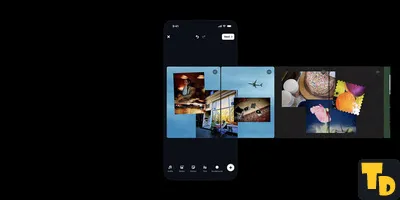
Thumbnail Downloader editorial illustration of reference material moving from a phone into a planning notebook; the arrangement represents idea capture, not a ContentCrew interface.
References can also be entered by hand, and creators can add further links as the idea develops. An image accompanying the release entry shows Instagram and YouTube examples in the same New Idea dialog. The change gives a team somewhere to keep those examples beside the proposed piece.
Keep the example with the brief
ContentCrew's Ideas page describes a thread and a history for each idea. Its Scripts page then lays out the route from a script to a scene-by-scene storyboard. The new link capture fits at the start of that sequence, before the team has written or designed its own material.
For example, an editor might save a video because its opening shot suggests a promising thumbnail composition. Adding a note about that shot would make the reference easier to discuss later. This is a suggested use of the workflow; we have not tested the feature in a connected account.
The next step still needs a creative decision
The announcement describes saving a reference, with no claim that it downloads the video or produces an image. It can help preserve a source for discussion, while the team still chooses what to create. That places it alongside planning tools such as reference Reels in Edits, rather than completing the whole production process.
Once the team settles the brief, a design tool such as content-creation workflow, the useful handoff is from a saved example with a clear purpose to a new piece the creator can actually develop.