We need your help to keep this website free. You can


Snap introduced Easy Lens CLI on November 18, giving developers another way to make Lenses for Snapchat. They can describe an effect to an assistant such as Claude Code, Codex or Cursor and preview a build on a phone before sending it for review. The command-line tool is available on Mac, Windows and Linux and is free to use with a Snapchat account.

Source: Anton / Pexels, Pexels License. Cropped archive photograph of a phone showing Snapchat branding beside a pencil and mug.
The launch announcement says a coding assistant can generate assets, test a build and send revised versions to a phone. Snap already offered prompt-based Lens creation on web and mobile. The new entry point lets someone who works in a code editor start from that environment, while the audience still encounters the finished Lens in Snapchat.
A phone preview and a discovery video serve different jobs
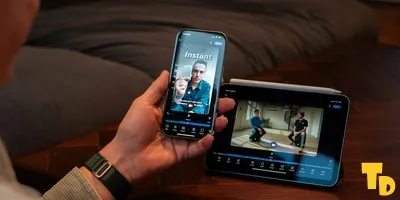
A preview on the phone gives the creator a chance to use the effect in the setting where it will run. Someone building an augmented reality camera effect can review how the graphics sit on top of the camera view and how the experience responds when the subject moves. With PlayCanvas games running as Web Lenses, the phone check is also a chance to see how controls fit the screen. For a Web Lens game, they can inspect whether an instruction or a score is legible on the phone screen.
The picture that helps someone decide to try the Lens is a separate asset. Snap's discovery guide asks creators to check the generated icon and replace it if it does a poor job of representing the effect. It also recommends using a preview video to demonstrate the Lens in action. Being able to test a prototype sooner moves up the point at which creators can decide which motion or interaction to show in that video.
Consider a game built around a jump. An icon can identify its main character, while a short preview can show the jump and what the player controls. A separate design tool such as Canva Craft can develop the still asset while the creator is preparing to record the jump. A beauty effect presents a different problem: the clip needs to show how the look appears while the subject moves. In both cases the time to capture this material comes after the relevant behaviour is visible in a working phone build.
Publication still includes the review step
Snap says CLI-built Lenses follow the same content checks and review route as those built in its existing Easy Lens apps. Sending a new version to a phone is a development step within that process. The review comes before public distribution, so the creator can keep checking and revising the draft without each preview becoming a public release.
That division gives creators two useful checks before submitting. They can verify that the effect works as intended on the phone, then review whether its chosen icon and preview accurately communicate what a viewer will get. The launch changes where the first draft comes together and how revisions reach a phone. The finished discovery assets and Snap's review remain separate parts of the publishing workflow.